> ## Documentation Index
> Fetch the complete documentation index at: https://summary-docs.fanocloud.com/llms.txt
> Use this file to discover all available pages before exploring further.
# Bot Preferences
> Control when and how the Fano note-taker bot joins your meetings.
Bot Preferences let you decide which meetings Fano records automatically.
## Accessing bot preferences
1. Click your **profile avatar** → **Setting**.
2. Go to the **Bot Preferences** tab.
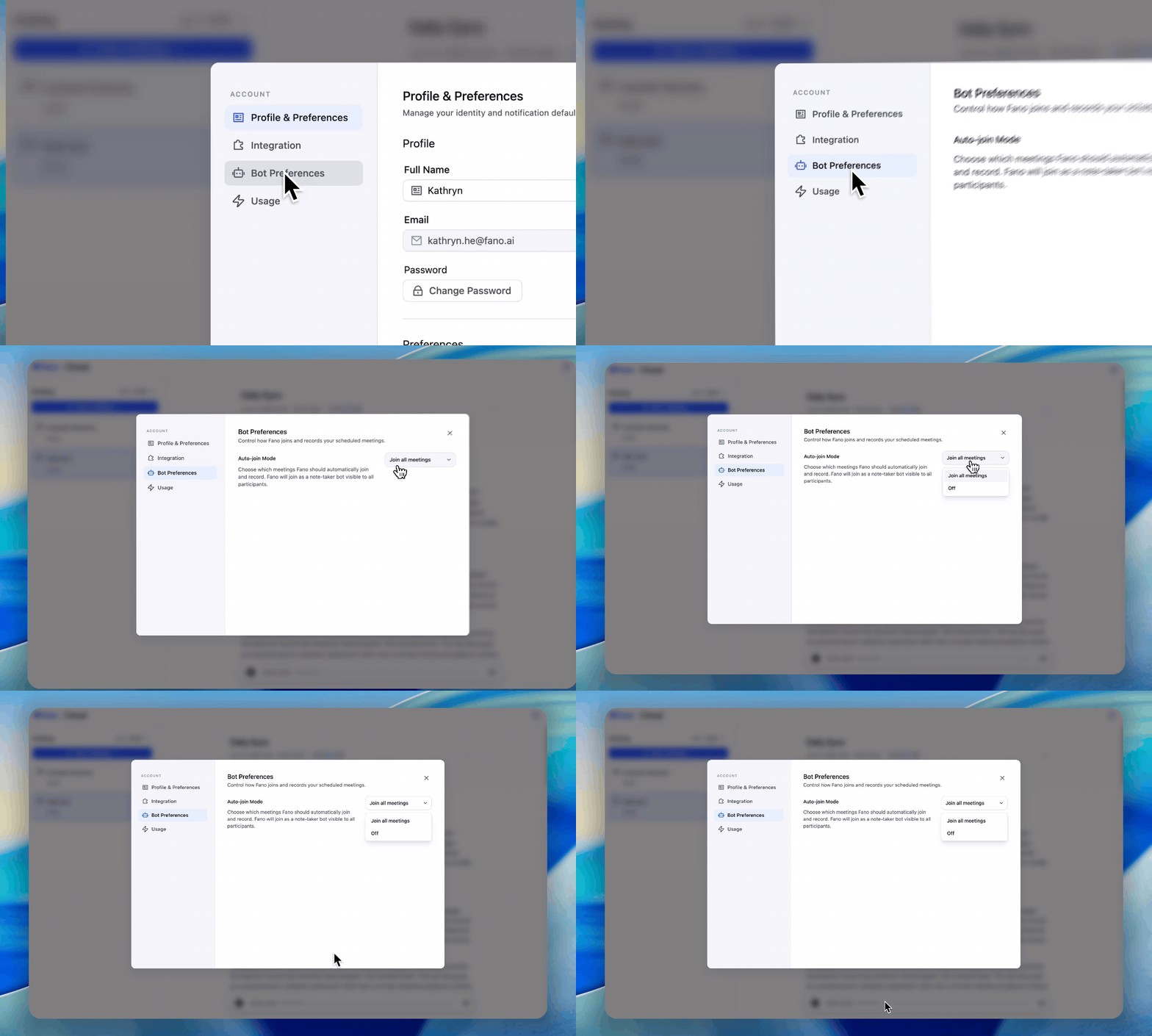 ## Auto-join Mode
This controls whether Fano automatically joins your scheduled meetings.
| Mode | Behavior |
| --------------------- | --------------------------------------------------------------------------------------------------------------- |
| **Join all meetings** | Fano bot joins every meeting on your calendar that has a video call link. This is the default. |
| **Off** | Fano does not auto-join any meetings. You can still record manually using **Record Now** or **Upload Meeting**. |
If you want Fano to record most meetings but skip a specific one, leave Auto-join on and simply remove the bot from that particular call when it joins.
## How the bot appears
When Fano joins a meeting, it appears as a visible participant (e.g., "Fano Note-taker") in the attendee list. All participants can see it. The bot:
* Does **not** speak or share its screen
* Does **not** interact with the chat
* Only listens, records, and processes the audio
Ensure your organization's policies permit AI note-taking bots in meetings. Consider notifying participants that the meeting is being recorded.
## Auto-join Mode
This controls whether Fano automatically joins your scheduled meetings.
| Mode | Behavior |
| --------------------- | --------------------------------------------------------------------------------------------------------------- |
| **Join all meetings** | Fano bot joins every meeting on your calendar that has a video call link. This is the default. |
| **Off** | Fano does not auto-join any meetings. You can still record manually using **Record Now** or **Upload Meeting**. |
If you want Fano to record most meetings but skip a specific one, leave Auto-join on and simply remove the bot from that particular call when it joins.
## How the bot appears
When Fano joins a meeting, it appears as a visible participant (e.g., "Fano Note-taker") in the attendee list. All participants can see it. The bot:
* Does **not** speak or share its screen
* Does **not** interact with the chat
* Only listens, records, and processes the audio
Ensure your organization's policies permit AI note-taking bots in meetings. Consider notifying participants that the meeting is being recorded.