

Automatic recording (recommended)
If you’ve connected your calendar, Fano handles everything:- Your meeting starts at the scheduled time.
- The Fano note-taker bot joins the call automatically.
- All participants see the bot as an attendee.
- When the meeting ends, Fano processes the recording and generates your summary.
Manual recording — Record Now
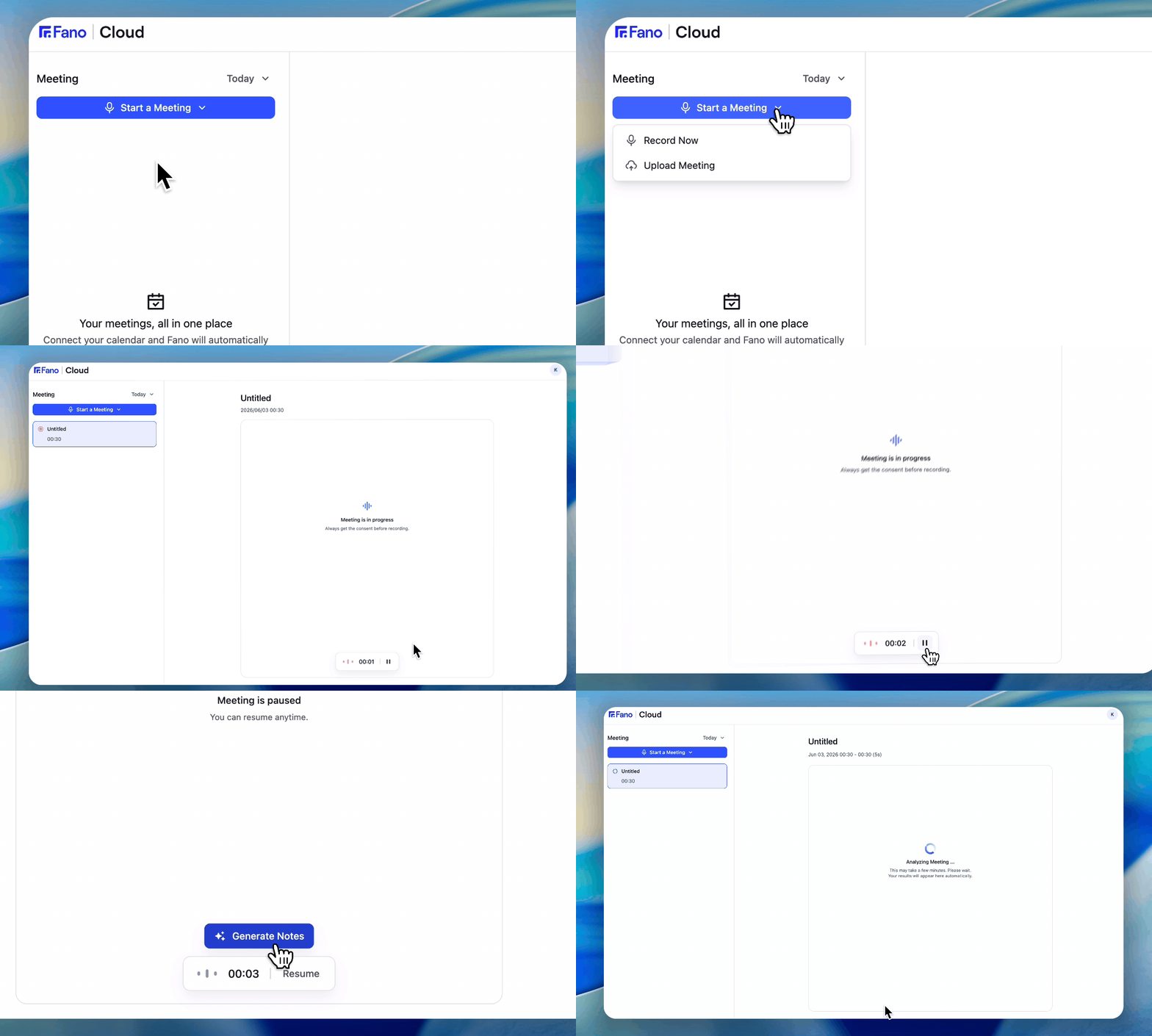
Start a manual recording in two clicks
- Click Start a Meeting in the top-left of the dashboard.
- Select Record Now.
- Fano begins recording immediately using your device microphone.
- Click Stop when the meeting ends.
Send the notetaker on demand — Send Notetaker Now
Joined a call that’s already underway and realized nobody is taking notes? Send the notetaker in yourself.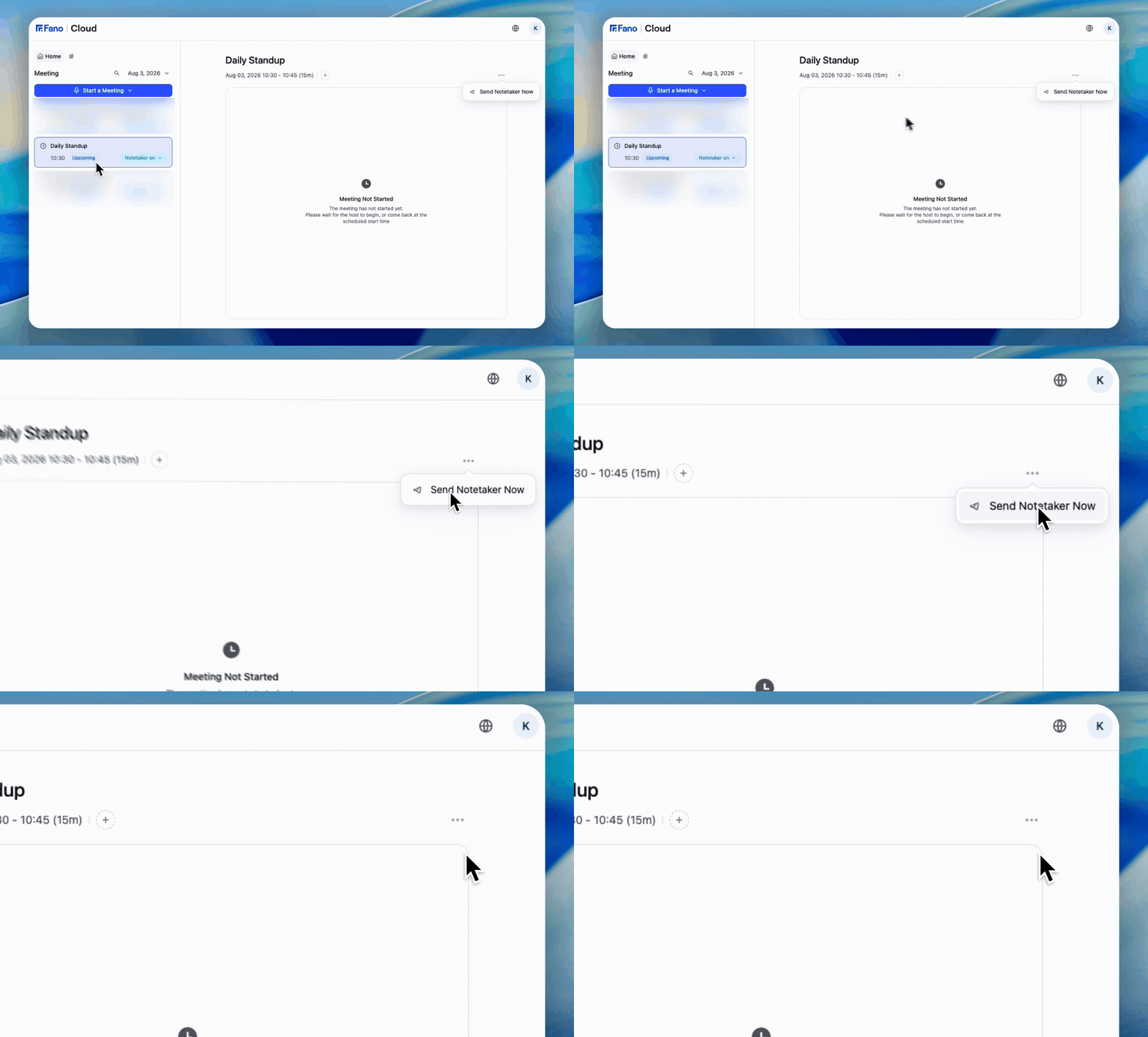
Open the meeting's ⋯ menu and choose Send Notetaker Now
- Open the meeting from the sidebar.
- Open the ⋯ menu in the meeting header.
- Choose Send Notetaker Now.
Fano can only capture what it hears. Anything discussed before it joined isn’t in the transcript or summary — so send it in as early as you can.
Upcoming meetings in the sidebar also show a Notetaker on control on the meeting row, so you can change the notetaker for a single meeting without touching your global Auto-join setting.
Upload an existing recording
If you recorded a meeting outside of Fano — on your phone, a voice recorder, or another app — you can upload the file and still get the full Fano experience: transcript, summary, and playback.- Click Start a Meeting in the top-left of the dashboard.
- Select Upload Meeting.
- Choose your audio or video file. Fano accepts common formats including MP3, WAV, M4A, MP4, and WebM.
- Fano processes the file — this may take a few minutes depending on the length.
- Once complete, the meeting appears in your sidebar with a full transcript and summary.
Which method should I use?
What participants see
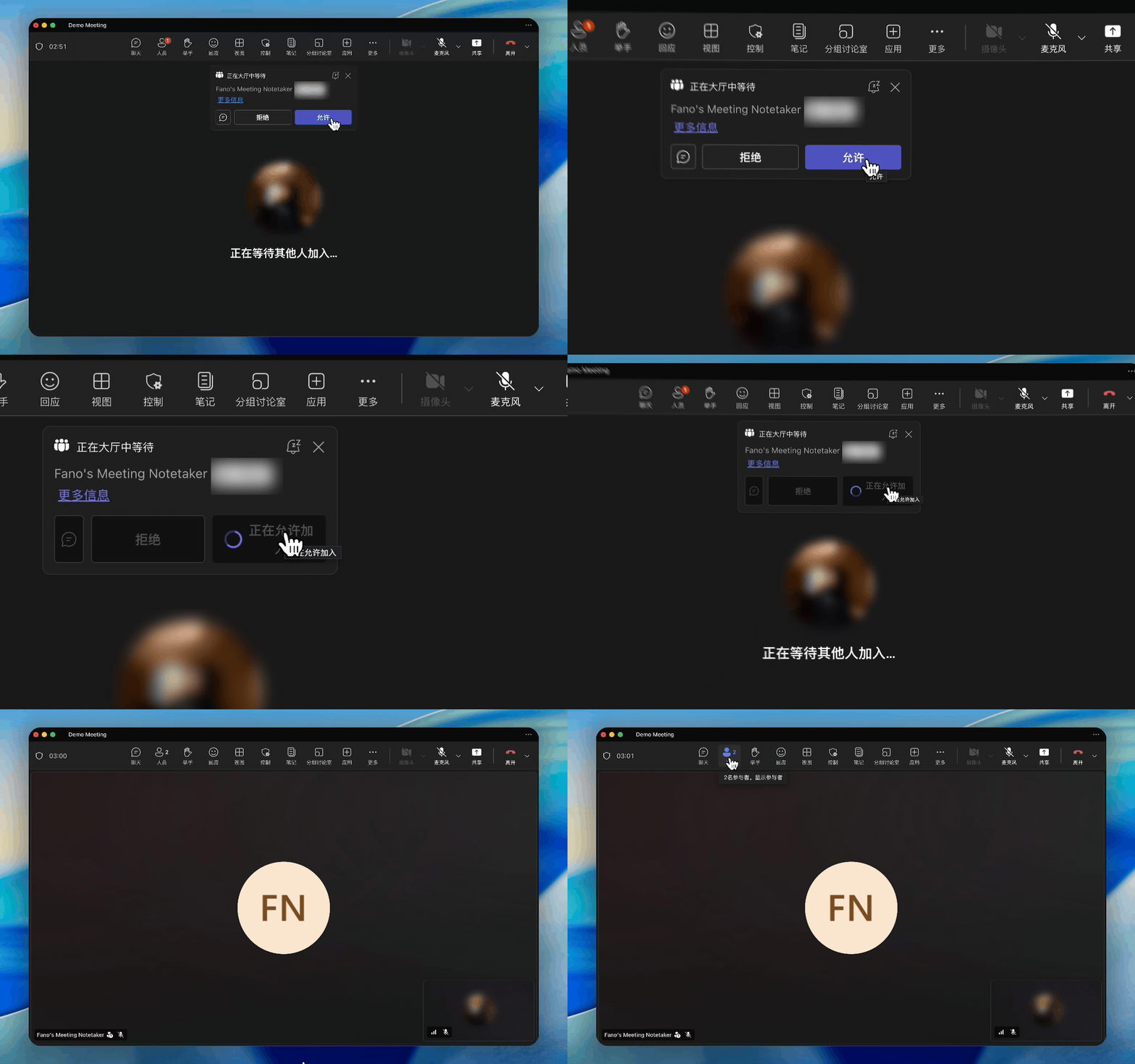
The Fano note-taker bot joins as a visible participant