

Viewing a summary
- Open Fano Summary.
- Click any meeting in the left sidebar.
- The Summary tab is selected by default, showing the AI-generated notes.
How summaries are structured
The exact structure depends on which template is applied, but a typical summary includes:- Meeting overview — date, time, duration, participants
- Key topics discussed — organized by theme or agenda item
- Decisions made — anything the group agreed on
- Action items — tasks assigned, with owners where identifiable
What you can do with a summary
Summary templates
Not every meeting is the same — a standup needs a different summary format than a board advisory session. Fano Summary includes 9 purpose-built templates so the AI structures your notes in the way that’s most useful.
Need something these don’t cover? Build your own with Custom Templates.
Switching templates
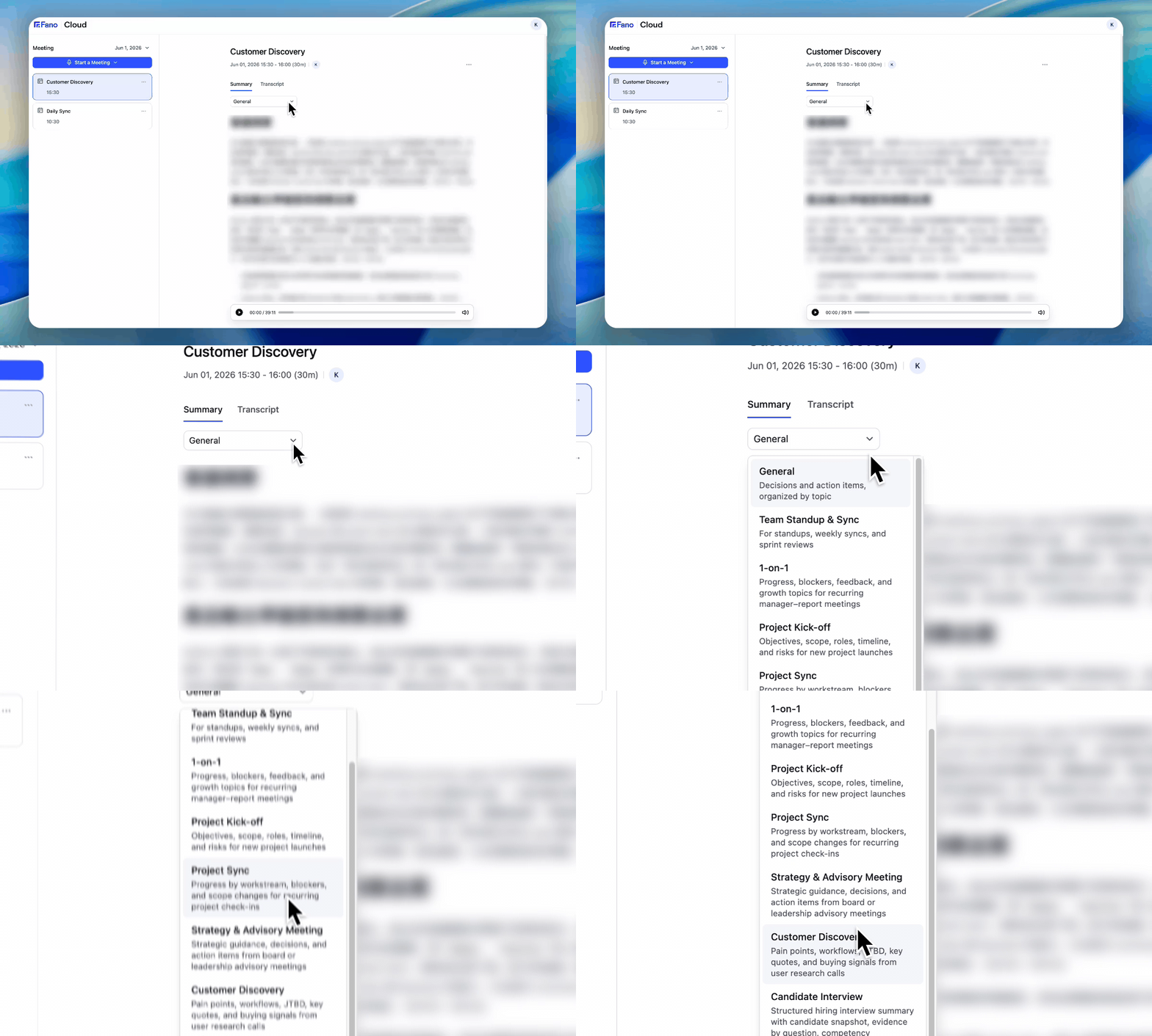
Switch templates and the summary regenerates instantly
- On the meeting detail page, click the template dropdown below the Summary/Transcript tabs (shows “General” by default).
- Select the template that matches your meeting type. Your own templates appear under My Template.
- The summary regenerates instantly in the new format.
Template details
General
General
The default all-purpose template. Organizes the summary into key discussion topics, decisions made, and action items. Works well when you just want a clean recap of what happened.
Team Standup & Sync
Team Standup & Sync
Designed for recurring team rituals. Captures what each person shared — what they did, what they’re working on, and what’s blocking them. Great for standups, weekly syncs, and sprint reviews.
1-on-1
1-on-1
Tailored for manager–report conversations. Pulls out progress updates, blockers, feedback exchanged, and growth/career topics. Helps both sides track what was discussed across recurring 1:1s.
Project Kick-off
Project Kick-off
Captures the essentials of a new project launch: objectives, scope boundaries, assigned roles, key milestones, timeline, and identified risks. Useful as a reference doc for the rest of the project.
Project Sync
Project Sync
For recurring project check-ins. Organizes updates by workstream, highlights blockers and dependencies, and flags any scope changes. Keeps the project team aligned between syncs.
Strategy & Advisory Meeting
Strategy & Advisory Meeting
Built for high-level sessions with advisors, board members, or leadership. Focuses on strategic guidance offered, decisions reached, and follow-up actions with owners.
Customer Discovery
Customer Discovery
Structured for user research and sales discovery calls. Extracts pain points, current workflows, jobs-to-be-done, key quotes (verbatim), and buying signals. A goldmine for product and sales teams.
Candidate Interview
Candidate Interview
Creates a structured hiring debrief. Includes a candidate snapshot, evidence mapped to each interview question, competency ratings, and recommended follow-up actions. Streamlines hiring decisions.
School Meeting Notes
School Meeting Notes
Designed for education settings — faculty syncs, staff briefings, curriculum reviews. Captures administrative decisions, teaching-related updates, and action items by department or individual.
Summary language
By default, summaries are generated in the language you set in Settings → Profile & Preferences → Summary Language. Changing this setting affects future summaries and any re-generated summaries. To change the language of a single meeting without touching your default, use Recap Language.The transcript language is detected automatically based on what was spoken. The summary language is a separate setting — you can have a Cantonese transcript with an English summary, for example.